As someone who consumes a lot of content through audio, whether it's while commuting, cooking, or just relaxing, I've always been on the lookout for tools that can transform dense, text-heavy documents into something I can listen to. That's where NotebookLM came in. Frankly, it changed the game for me.
I used to struggle with keeping up with long reports, whitepapers, or my own research compilations. Now I convert them into custom, AI-generated podcasts, and it's not just functional, it's deeply empowering.
Here's how you can do the same.
What Is NotebookLM?
NotebookLM is an AI-powered research assistant created by Google. It allows you to upload a variety of documents such as PDFs, Google Docs, web links, YouTube transcripts, and plain text. Once uploaded, you can interact with your materials using a conversational interface.
The tool helps you understand, explore, and repurpose complex content more efficiently. It can read your documents, generate summaries, answer questions, and now create natural-sounding audio episodes based on your material. It turns dense text into clear, engaging information you can read or listen to.
Key features include:
- Smart summarization that highlights key ideas and concepts
- Question answering based on your specific documents
- Content organization into themed notebooks
- Audio generation that turns text into podcast-style narration
- Interactive dialogue with AI to clarify or expand on content
NotebookLM acts like a personal research companion, making it easier to digest, revisit, and share knowledge in whatever format suits you best.
Step-by-Step: Using NotebookLM to Turn Documents Into Audio
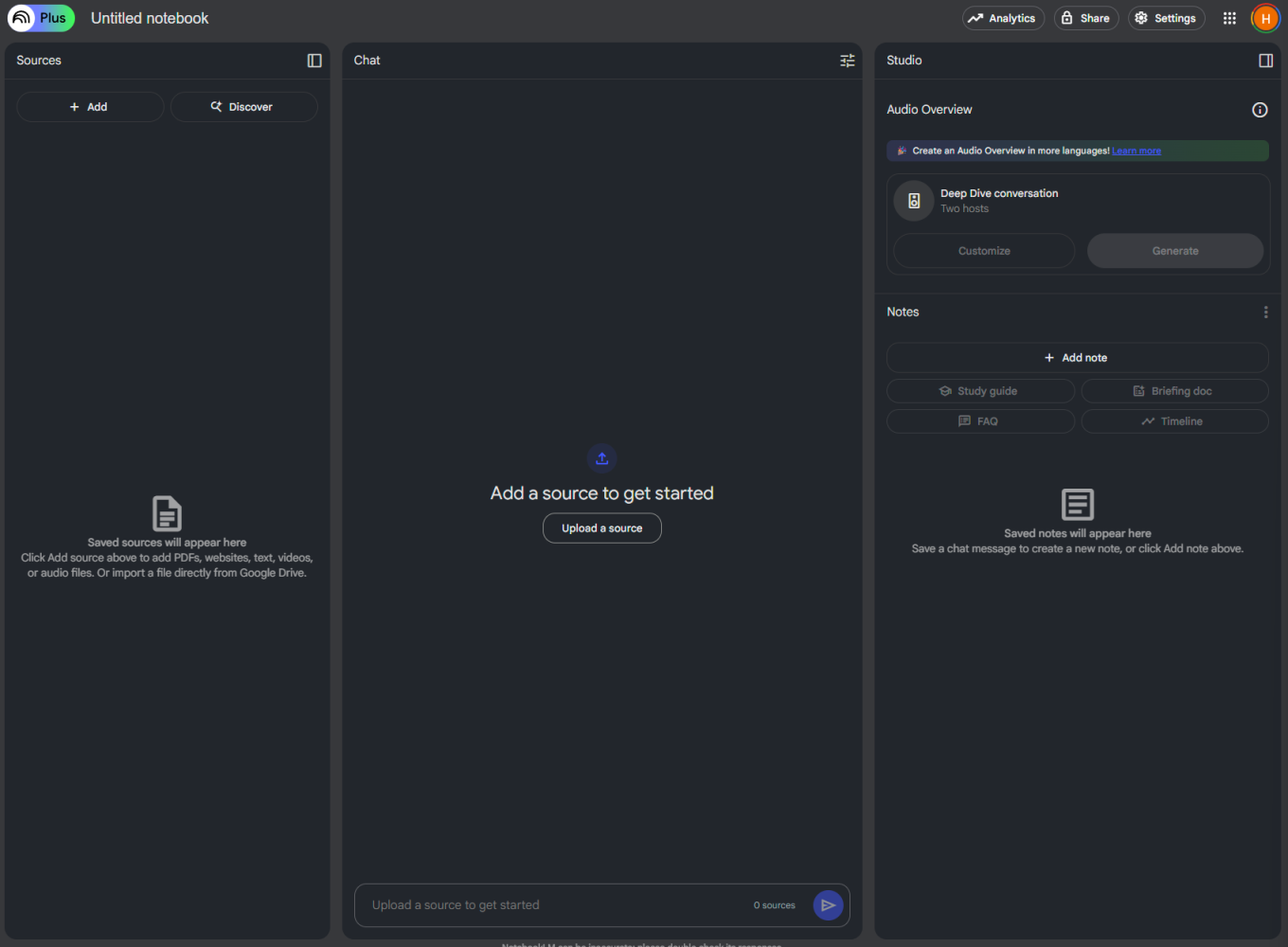
1. Create a Notebook
Sign in to NotebookLM (https://notebooklm.google.com). Start by creating a new notebook. Give it a title that reflects the subject, like "AI Index 2024".
2. Upload Your Documents
Add PDFs, Google Docs, web links, youtube links, or plain text.
NotebookLM will automatically analyze the content and generate a knowledge map-style overview.
3. Ask Questions and Generate Summaries
You can chat with the AI to get summaries, ask clarifying questions, or request bullet-point recaps. This is incredibly useful for drilling into key insights before converting to audio.
4. Use the Podcast Feature
This is the magic. Click on the Audio Overview generate option. You can provide custom instructions. NotebookLM will generate a scripted podcast episode using your sources content as the base.
5. Listen and Interact
NotebookLM generates studio-quality voiceovers that are clear, natural, and easy to listen to. You can tweak the tone, adjust the length, and even reorder segments to suit your style.
One of the most surreal features is that you can interact with the podcast hosts. You can ask them follow-up questions or get clarifications, just like having a conversation with a real narrator. Once you're happy with the result, you can download the audio or publish it directly to your favorite platforms.
Why This Is Revolutionary
For auditory learners and multitaskers, this feature is a game-changer. Instead of carving out time to read dense reports or academic papers, you can now absorb the same material through engaging, high-quality audio anytime and anywhere.
NotebookLM doesn't just summarize. It curates and narrates your content in a way that is structured, conversational, and easy to follow. Whether you're commuting, cooking, working out, or folding laundry, you can stay deeply engaged with complex topics without needing to be in front of a screen.
This opens up powerful new use cases for a wide range of people:
- Students can review textbooks, lecture notes, or research articles while walking to class or doing chores.
- Professionals can catch up on market research, strategy decks, or legal memos during a commute or between meetings.
- Writers, podcasters, and journalists can listen back to interviews, research material, or draft notes to spark ideas.
- Educators can turn lesson plans, course outlines, or reading lists into digestible audio for themselves or their students.
- Researchers and analysts can revisit literature reviews, compiled sources, or summaries while away from their desks.
- Lifelong learners can convert saved PDFs, newsletters, or web articles into a personalized audio feed.
- Busy parents and caregivers can keep learning or stay informed while managing daily responsibilities.
- People with accessibility needs, including those with visual impairments, dyslexia, or ADHD, can engage more easily through listening.
This isn't just about convenience. It's about creating new, more flexible ways to access knowledge. NotebookLM helps turn listening time into meaningful learning and makes complex information more approachable for everyone.
The AI Index Podcast
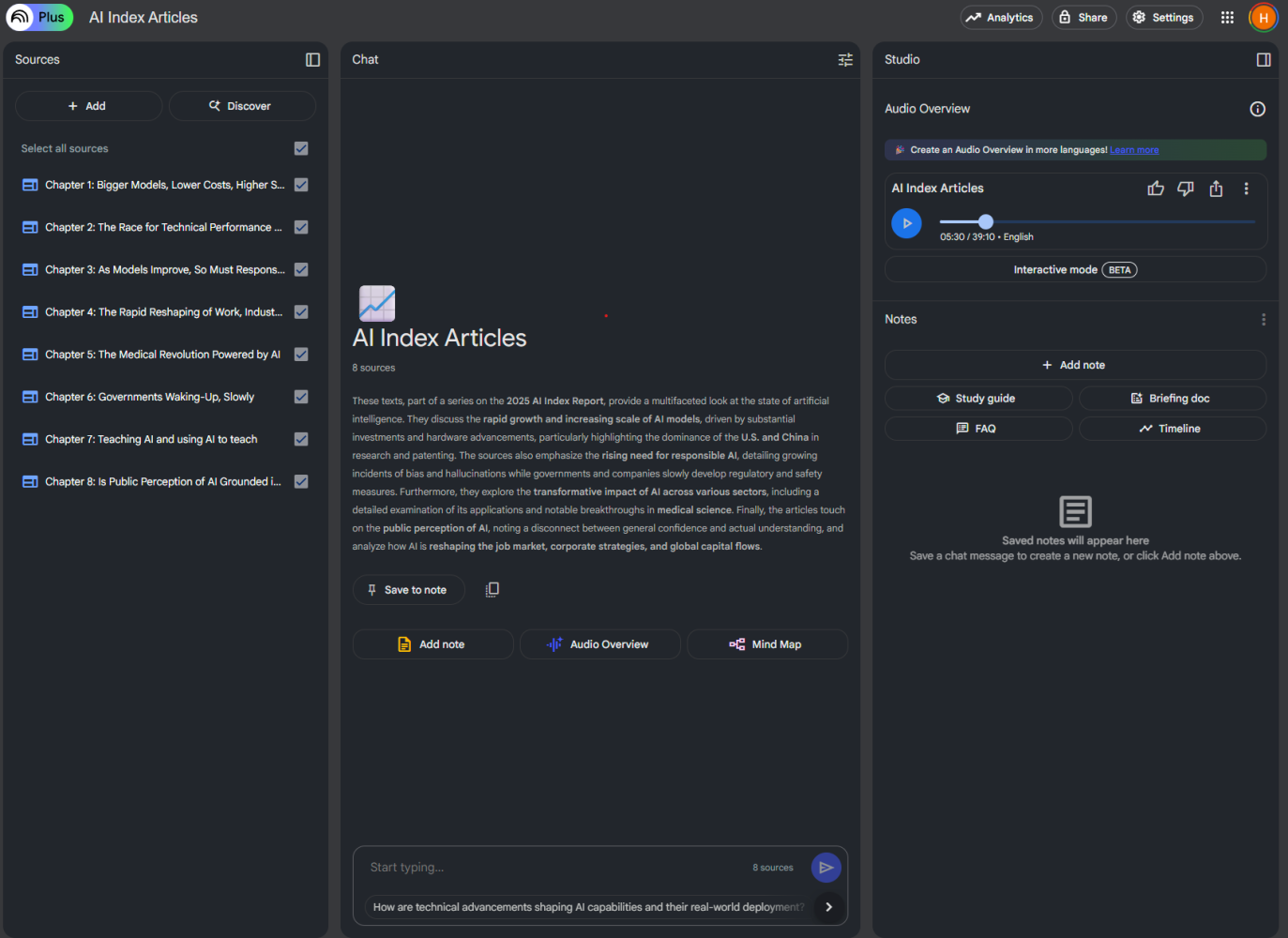
I recently wrote deep-dive articles on each chapter of the AI Index report, which offers a comprehensive look at global AI trends. Using NotebookLM, I compiled these articles into a narrated podcast covering the full report. The result is surprisingly professional and incredibly useful for people who prefer to learn by listening.
What stood out most was the accuracy of the narration. The AI did not just pull surface-level insights. It captured the nuance, structure, and intent of each article, preserving the flow of the original text. Key statistics, comparisons, and technical terms were pronounced clearly and presented in context, making it easy to follow even complex material.
Another standout feature is the two-host format, which adds a conversational dynamic to the audio. Instead of a flat monologue, you hear a back-and-forth between two distinct voices. This makes the content more engaging and easier to absorb. It feels like listening to a thoughtful, well-produced panel discussion rather than just a script being read.
Most impressive is how NotebookLM retains the tone of the original writing. If a section was analytical, curious, or even slightly skeptical, that tone came through in the audio. You can also adjust the voice delivery style to better match the content. For example, you might choose a more formal tone for technical chapters and a relaxed style for commentary or summaries.
You can listen to the podcast here: